
Ready to unlock more powerful features and take your marketing to the next level? Upgrading your Lindris account is quick, easy, and gives you immediate access to new tools.
This guide will walk you through the simple steps to upgrade your plan.
Upgrading Your Account
To upgrade your Lindris subscription:
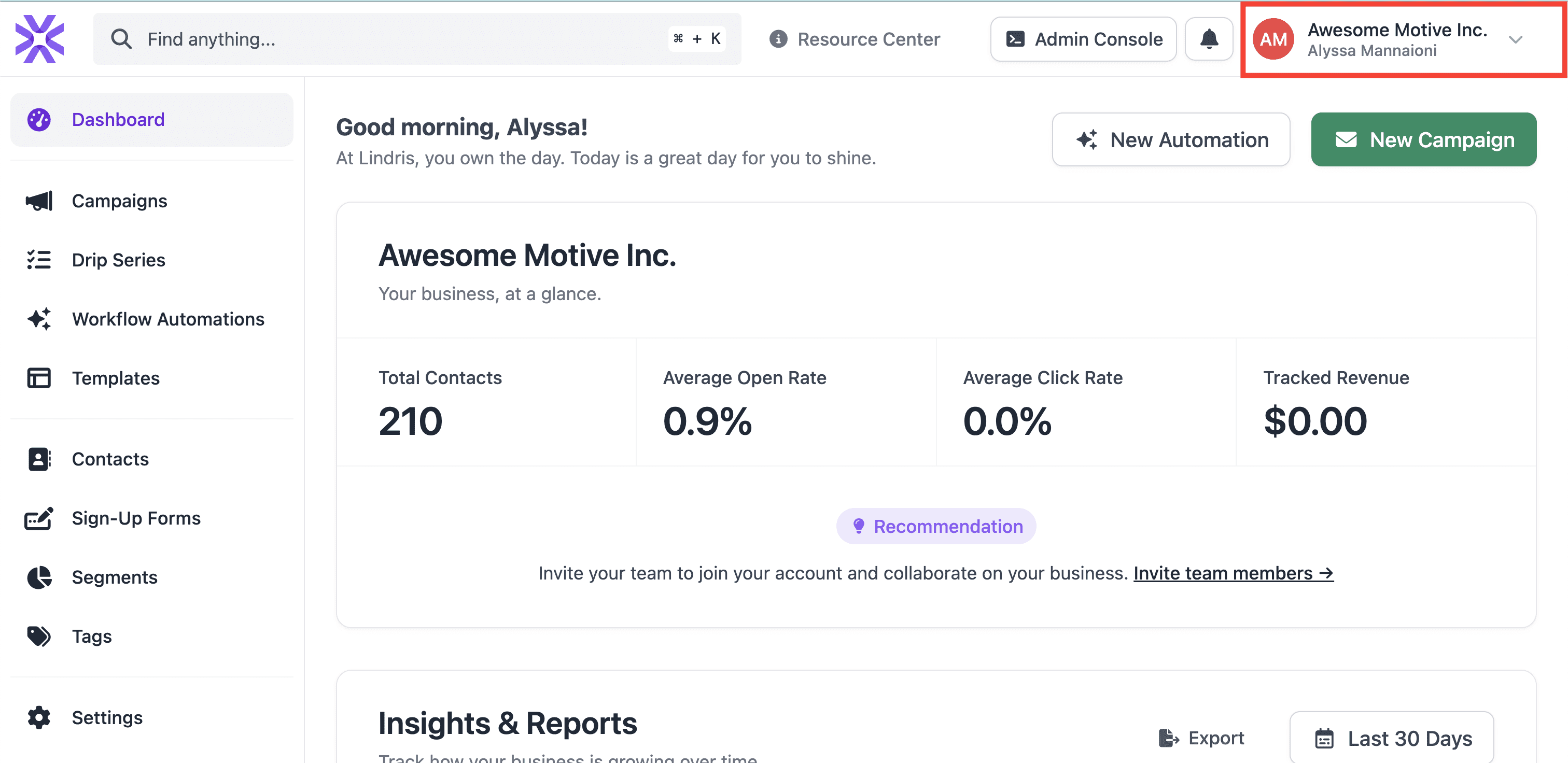
- From your main Dashboard, click your account name in the upper right corner.
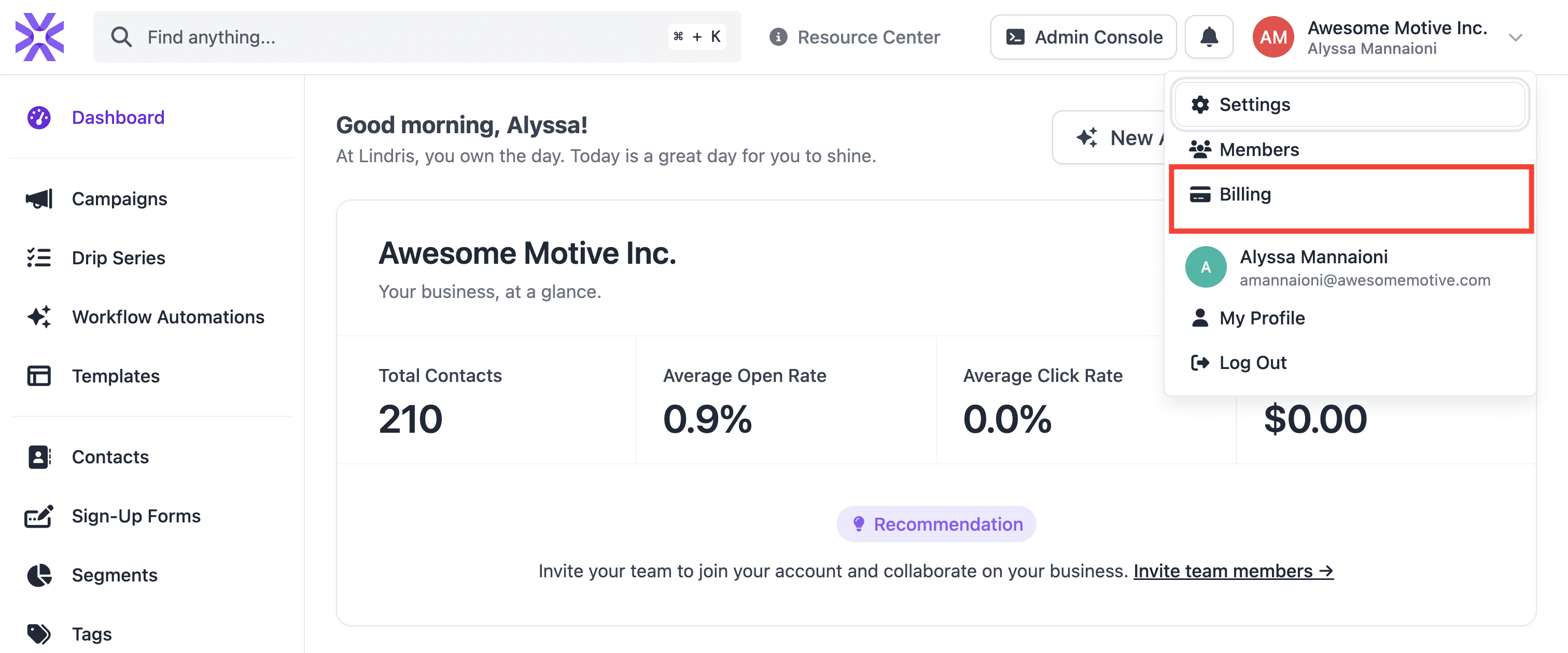
- Next, select Billing from the dropdown menu that appears.
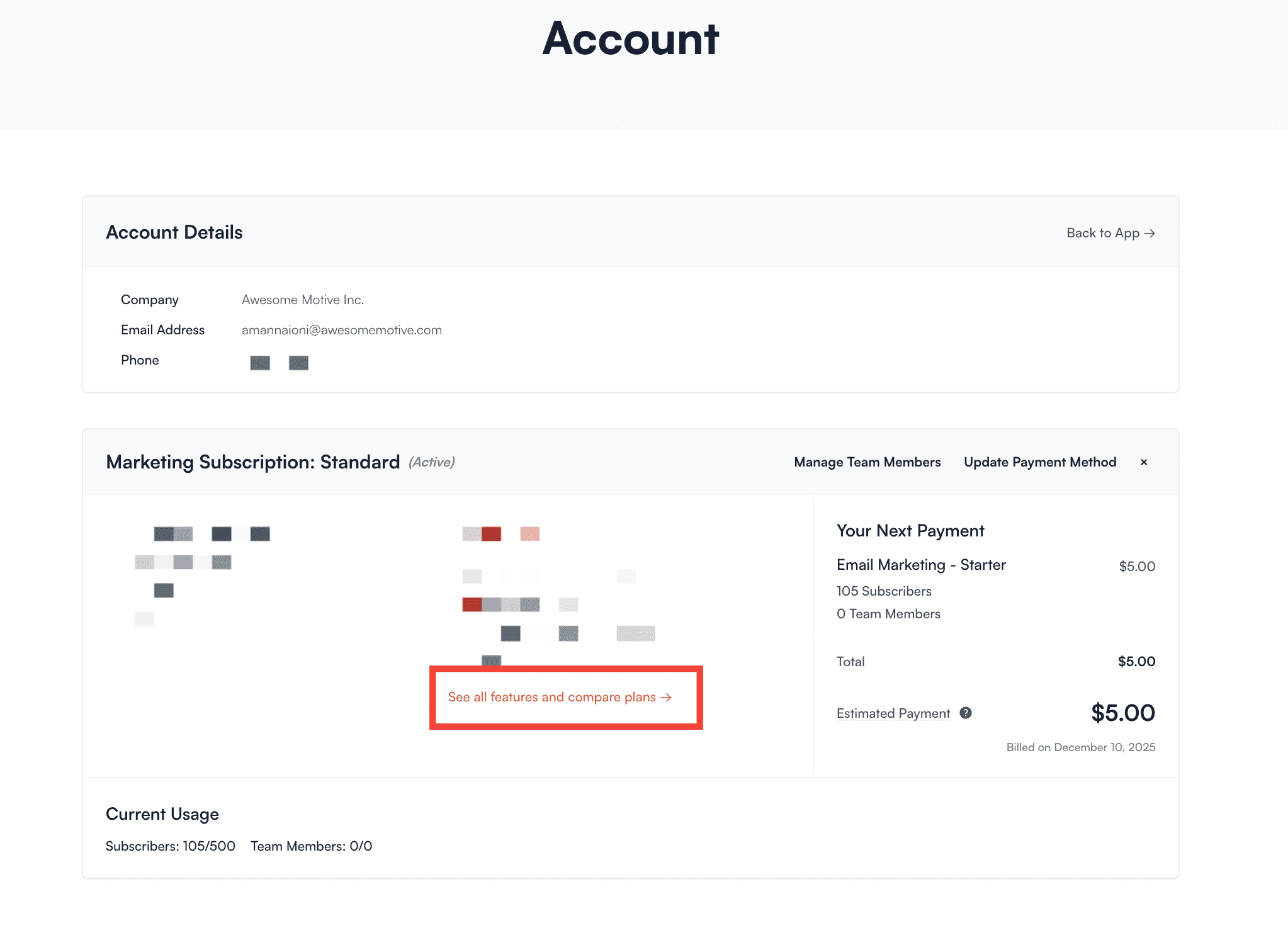
- You will be taken to your Accounts page. From here, look for the link that says See all features and compare plans → and give it a click.
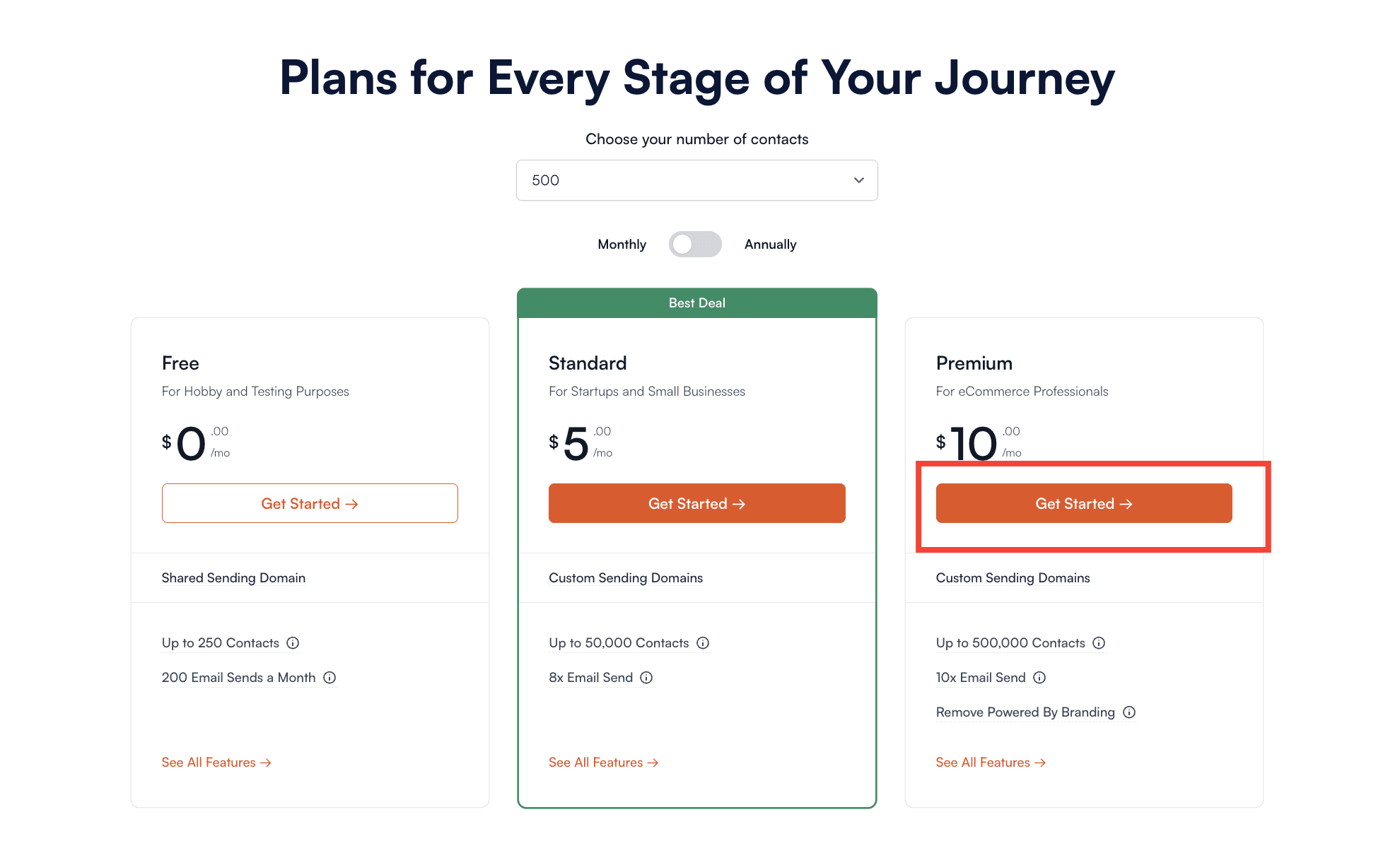
- Now you can browse the available plans. Once you’ve found the one you want, click the Get Started button.
- Finally, enter your billing information on the secure page that loads and click the Upgrade Plan button.
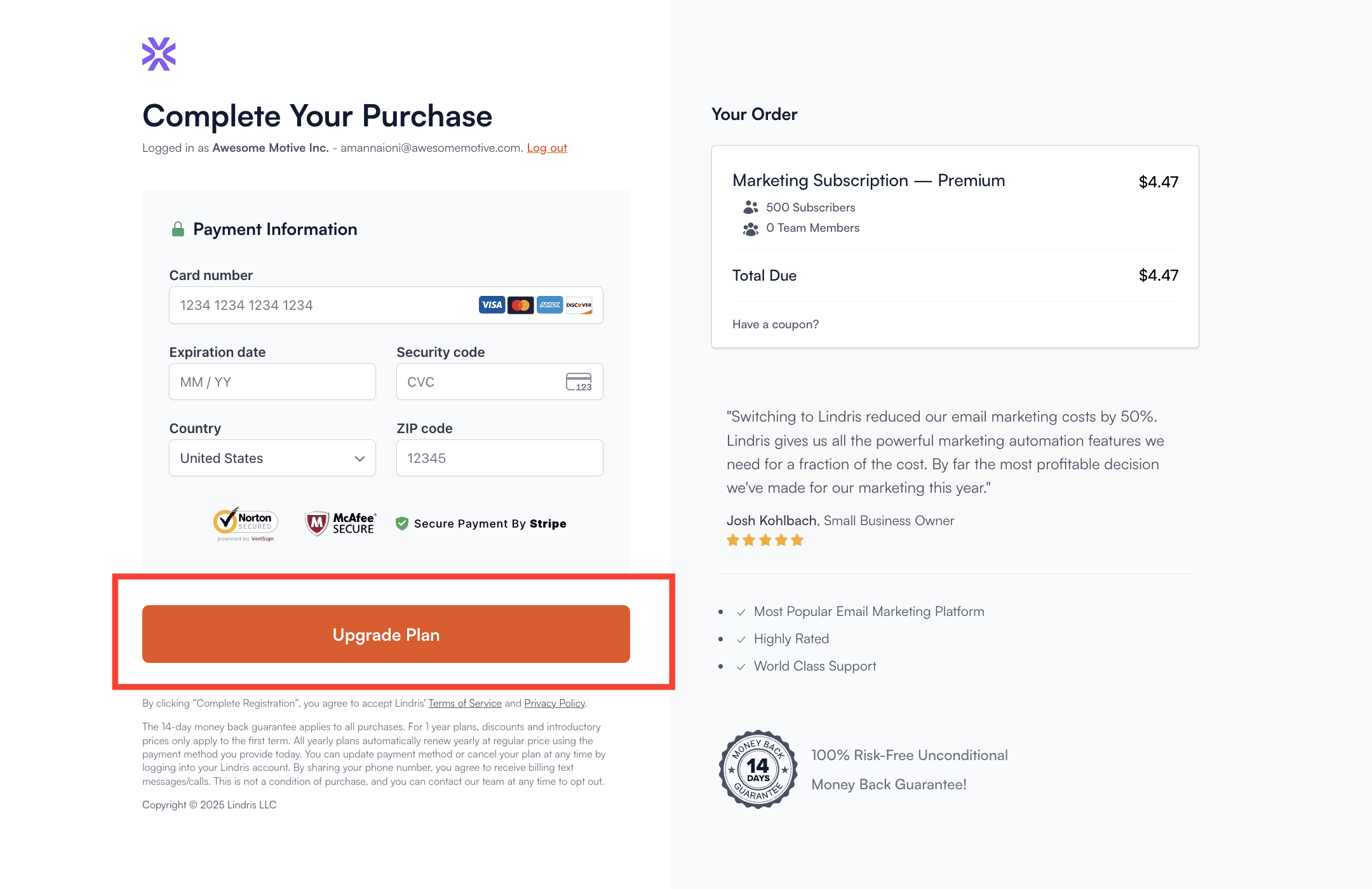
That’s it! You now have instant access to your new plan’s features and benefits.
Troubleshooting
Will my upgrade cost be pro-rated?
Yes, your upgrade cost is automatically pro-rated based on the plan you upgrade to and the amount of time remaining in term of your current subscription. The pro-rated amount is reflected on the checkout page when upgrading your plan.
If I upgrade from a Monthly to Yearly Plan, how much time will I have available on my Subscription?
Your new plan will be active for a full year starting from the exact day you upgrade.
Here’s a quick example:
If you are on a monthly account, which started on May 1, 2024, and you upgrade to an annual subscription on May 15, 2024, then you will have an active subscription for a whole year starting on May 15. The price you pay for the upgrade will be pro-rated for the 15 days you used in May.
Can I downgrade my subscription?
Yes, you can! The process is the same as upgrading. Just follow the steps above, but instead of choosing a higher-tier plan, simply select the plan you’d like to downgrade to.


